


GIO: AI Headshot Generator
4.41.87K Reviews
App Specs
- Version
- 1.28.4
- Updated On
- License
- Free
- Downloads
- 5,000,000+
- Developer
- Prequel Inc.
- Categories
- Photography
- Platform
- Android, iOS
Screenshots
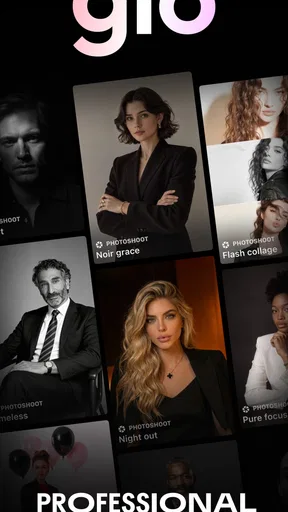
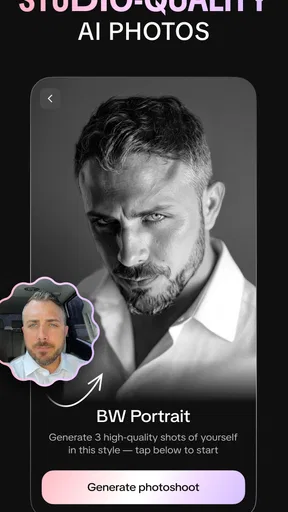
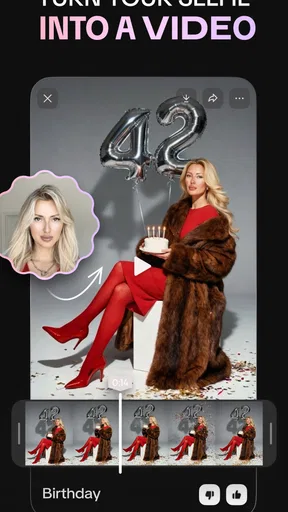
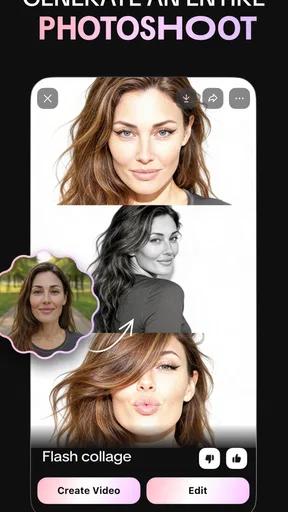
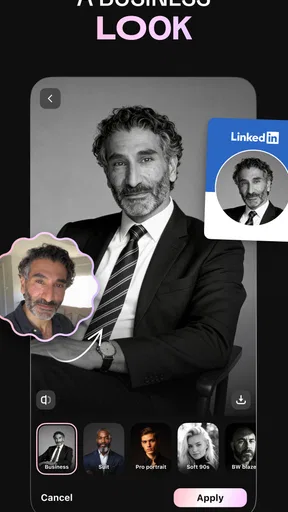
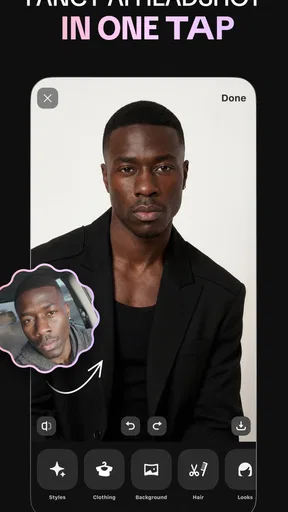
 Analysis by AppCompare
Picture this: you’ve just snapped a cool photo, but something’s missing. Maybe it’s not quite profile-picture perfect, or maybe you’ve always wanted to see yourself with a different style. Enter the GIO: AI Headshot Generator. This app is like having a magic wand for your photos, and I’ve taken it for a spin to see if it lives up to the hype.
Start with the right source photo
Before choosing a style, I’d spend a moment deciding which image gives the app the best starting point. A clear, front-facing photo with your face unobstructed is a safer choice for a professional result than a distant group shot or a picture with dramatic shadows. This is a practical trade-off with AI portrait tools: they can reinterpret a photograph, but a strong source image gives them less guesswork to do.
For a quick test, I’d use a copy of a photo rather than treating the first result as the final version. That makes it easier to compare looks without losing track of the original. I’d also keep the purpose in mind before picking a style: a relaxed portrait for a personal profile can tolerate more character than a headshot meant to represent me at work.
Getting Started with GIO
Diving into GIO: AI Headshot Generator is as easy as pie. Once you download the app, you’re greeted by a sleek and intuitive interface. It’s clear that the creators have put a lot of thought into making this user-friendly. No need to get tangled up in complicated menus—just a few taps and you’re good to go!
The app walks you through the setup, and before you know it, you’re ready to start transforming your photos. You can either snap a new picture or choose one from your gallery. I opted for a picture from my last beach trip, hoping to give it that professional edge.
Transforming Your Photos
This is where the magic happens. The app uses AI to enhance your headshots, and I must say, the results are pretty impressive. You’ve got a range of styles to choose from, each giving your photos a unique flavor. From the classic corporate look to something more artsy, GIO has got you covered.
One of my favorite features is the ability to adjust the intensity of the effects. Sometimes you just want a subtle change, and other times you’re going for a full-on transformation. The app gives you the flexibility to do just that. I played around with a few options, and it was fascinating to see how different a single photo could look.
Worth Reading Before You Choose

Flipboard Shows What News Apps Must Do Beyond the Feed

Switching to Android Auto Means Rethinking Your Driving Routine

Google Calendar Makes a Crowded Week Easier to Manage

Ludo King Makes the Most of the Minutes Between Plans

Baby Panda World Brings Quick Play to Modern Phones, but Its Game Library Feels Busy

ESPN’s Live Game View Makes Following Close Games Easier
Make each variation useful
I find it helps to change one choice at a time. If I switch the style, intensity, lighting, and background all at once, it becomes hard to tell which adjustment actually improved the portrait. A more deliberate sequence—choose a style, inspect the face, then tune the effect strength—makes comparisons clearer and helps me stop before the result feels overworked.
That habit is especially useful when I need a photo for a specific setting. For example, if I’m updating a work profile between errands, I can begin with a straightforward image, try a restrained style, and check whether the final portrait still looks like me at a glance. If it starts to feel like a different person, I’d rather return to a simpler treatment than keep adding polish.
Exploring the Features
Beyond the basic transformations, GIO offers some nifty extras. There’s an option to tweak lighting and shadows, which really helps in making your headshot pop. I tried adjusting the lighting on a cloudy-day photo, and it made a world of difference.
Another cool feature is the ability to change backgrounds. Ever wanted to look like you’re in a fancy office or a vibrant cityscape? With GIO, it’s just a tap away. I had a blast swapping out backgrounds and seeing how each one changed the vibe of my photo.
Check the details before saving
When a portrait looks convincing at first glance, I still zoom in mentally on the details that matter for a headshot: the outline of the hair, the edge of the shoulders, and whether the lighting on the face fits the new setting. A background can make an image feel more polished, but a mismatch between the subject and the scene can also make the edit look artificial. I’d choose a quieter backdrop if a busier one competes with my expression.
It’s also worth judging the image at the size people are likely to see it. A small profile icon can hide minor imperfections that become obvious when the same picture is opened larger. I’d keep a version that works as a thumbnail and inspect the full image before using it anywhere important. This simple two-size check is more useful than endlessly cycling through styles.
Where this fits—and where it doesn’t
For someone who wants a polished portrait without arranging a formal photo session, this kind of app can be a handy starting point. I can see it suiting a freelancer refreshing a profile, a job seeker who has a usable photo but wants a cleaner presentation, or anyone who enjoys testing a few different looks before choosing an avatar. It is also a low-pressure way to explore how a background or treatment changes the mood of a familiar picture.
I wouldn’t use an AI-generated look as a substitute for an accurate, current photograph when trust and identity are central. If a role requires a faithful representation, or if I need a carefully controlled portrait for a company directory, a regular camera photo or a session with a photographer may be the better choice. GIO is more appealing when convenience and experimentation matter; it is less suitable when precise control over every detail is essential.
Compared with a conventional photo editor, the appeal here is the headshot-focused transformation rather than a long manual retouching process. A general editor is often a better fit if I want to make small, exact corrections myself. A camera app is better when I want to capture a natural image and keep it largely untouched. I’d choose GIO when I want to explore a more finished portrait from an existing image, while remembering that its AI treatment can change the feel of the original.
Sharing Your Creations
Once you’ve got your masterpiece, sharing it is a breeze. GIO integrates seamlessly with social media platforms, so whether you’re updating your LinkedIn photo or just sending something fun to Instagram, the app has you covered. I shared my newly enhanced photo on social media, and the compliments started rolling in!
For a repeatable routine, I’d save time by deciding on the destination before editing. A professional profile calls for a different mood from a playful social post, so I wouldn’t create a stack of unrelated versions and then try to pick one later. I’d make a small set of purposeful candidates, compare them side by side, and keep the original image available in case I change my mind. That approach avoids turning a quick refresh into a long session of tweaking.
One practical question is whether I need to be an experienced editor to use it. The straightforward flow makes experimentation approachable, and the most useful judgement calls are ordinary ones: begin with a clear photo, choose a style that suits the audience, and check whether the result still feels believable. If I want fine-grained retouching or exact control over every visual element, a dedicated editing tool is likely a better match.
What to expect from the app
GIO: AI Headshot Generator is a free photography app from Prequel Inc., with optional in-app purchases ranging from $0.99 to $49.99 per item. It is rated for Everyone, so it is broadly suitable for general audiences, though I’d still look over any purchase choices before committing to a paid option. Its average rating is 4.6 from around 125,000 ratings, and it has passed 5 million installs, which suggests that many people have tried it for portrait editing.
The app was released on August 25, 2023, and its current version is 1.24.1, with Android 9 as the minimum operating-system requirement. Those details are useful when deciding whether it will run on an older phone. I’d also keep the distinction between a free download and optional purchases in mind: trying the app does not mean every available option is necessarily included at no cost.
Final Thoughts
So, is GIO worth the download? Absolutely. It’s a fun, easy-to-use app that delivers on its promises. Whether you’re looking to spruce up your professional image or just have some fun with photos, GIO offers something for everyone. Plus, the AI technology behind it is genuinely impressive, making it a standout in the crowded app market.
In a world where first impressions are often made online, having a polished headshot can make all the difference. With GIO, you’ve got a powerful tool at your fingertips, ready to transform your photos into something special. Give it a try and see the magic for yourself!
Pros
- High-quality AI-generated images.
- Easy-to-use interface for quick edits.
- Wide range of customization options.
- Supports multiple image formats.
- Fast processing with minimal lag.
Cons
- Limited free features available.
- Requires internet connection.
- Occasional AI inaccuracies.
- No manual editing tools.
- Subscription can be pricey.
FAQs for GIO: AI Headshot Generator
What is GIO: AI Headshot Generator and how does it work?
GIO: AI Headshot Generator is an innovative app designed to create professional-quality headshots using AI technology. By uploading a simple selfie, the app employs advanced algorithms to enhance and refine your image, providing a polished and professional look suitable for resumes, social media profiles, or any formal presentation. The app’s user-friendly interface makes it accessible to everyone, regardless of technical expertise.
Is GIO: AI Headshot Generator free to use, or does it have any in-app purchases?
GIO: AI Headshot Generator offers a free version with basic features, allowing users to generate standard headshots without cost. However, for enhanced features such as higher resolution images, additional editing tools, and exclusive filters, users can opt for in-app purchases or a premium subscription. This ensures flexibility based on your specific needs and budget.
What are the system requirements for installing GIO: AI Headshot Generator on my device?
To install GIO: AI Headshot Generator, your device must run on Android version 8.0 or iOS 12.0 and above. The app requires at least 150 MB of free storage space and an active internet connection for optimal performance. Ensuring these requirements are met will guarantee a smooth and seamless user experience.
How secure is my personal data when using GIO: AI Headshot Generator?
GIO: AI Headshot Generator prioritizes user privacy and data security. The app employs industry-standard encryption to protect your personal information and images. Additionally, the app’s privacy policy clearly outlines data usage and storage practices, ensuring transparency and compliance with global data protection regulations. Users can confidently use the app knowing their data is secure.
Can GIO: AI Headshot Generator be used for professional purposes?
Absolutely! GIO: AI Headshot Generator is specifically designed to create high-quality, professional headshots suitable for various formal uses. Whether you’re updating your LinkedIn profile, applying for jobs, or setting up a professional online presence, the app provides a polished image that reflects professionalism and attention to detail, making it a valuable tool for career advancement.


